Du verwendest einen veralteten Browser. Es ist möglich, dass diese oder andere Websites nicht korrekt angezeigt werden.
Du solltest ein Upgrade durchführen oder einen alternativen Browser verwenden.
Du solltest ein Upgrade durchführen oder einen alternativen Browser verwenden.
Fragen zur Ardumower-GPS-App und zum Mähverhalten
- Ersteller AlexanderG
- Erstellt am

FelixP
Active member
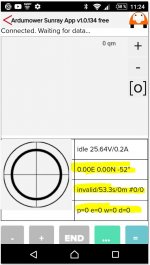
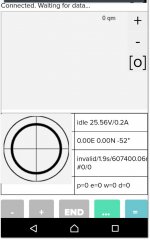
It seems to me that the NTRIP client has no connection to the base.
Please check in the ESP32 Xbee software for basis and client that all IP addresses are set correctly, described here: https://wiki.ardumower.de/index.php?title=Ardumower_Sunray#RTK_base
Please check in the ESP32 Xbee software for basis and client that all IP addresses are set correctly, described here: https://wiki.ardumower.de/index.php?title=Ardumower_Sunray#RTK_base
You still have #define GPS_CONFIG true?
In the console window, during boot, right before the IMU calibration does it say GPS OK? If not, try to swap RX and TX on GPS. You have IO ref to 3.3V?
If you are connected to the arduino and have the console window open, then upload a new program, it you will catch the hole start sequence.
In the console window, during boot, right before the IMU calibration does it say GPS OK? If not, try to swap RX and TX on GPS. You have IO ref to 3.3V?
If you are connected to the arduino and have the console window open, then upload a new program, it you will catch the hole start sequence.

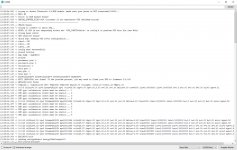
#define GPS_CONFIG true
and connect to the GPS with usb to your computer at the same time to see if you find something out. I use the WIFI version with www.rtk2go.com so I don't know anything more about the radio communication between base and rover than what the Sunray Wiki says
and connect to the GPS with usb to your computer at the same time to see if you find something out. I use the WIFI version with www.rtk2go.com so I don't know anything more about the radio communication between base and rover than what the Sunray Wiki says
Acc instructions it is not allowed to connect it to usb while it is also connected to the mainboard and the rover is switched on.
I´ll try to reconfig the rover GPS and if that does not work I´ll start a new threat in the GPS-Folder.
Can the free version of the EVO-viewer be the reason for the problems?
I´ll try to reconfig the rover GPS and if that does not work I´ll start a new threat in the GPS-Folder.
Can the free version of the EVO-viewer be the reason for the problems?
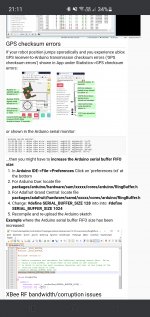
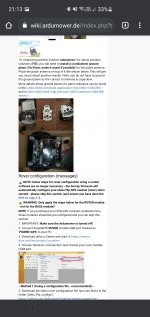
Yes I did this acc to the lastest tutorial video.Have you tried expanding the buffer as image attached shows?
Yes, but if it doesn´t work?As shown in image you should not setup the rover, only the base. The rover should set it self up.
Es ist vollbracht!
Nachdem ich die Antennen (die einzeln über u-Center im Haus ein 3D-Fix hatten) nach draußen verlegt habe, haben beide GPS-Platinen jetzt ein FIX angezeigt.
Das wurde aber auch erst in der BASIC-App angezeigt. In der Free-Version hatte ich trotzdem ein INVALID.
Jetzt geht´s an den Einbau im Mäher und Aufzeichnen der ersten Karte.
Danke an alle nochmal, die mich bis hierher unterstützt haben.

Nachdem ich die Antennen (die einzeln über u-Center im Haus ein 3D-Fix hatten) nach draußen verlegt habe, haben beide GPS-Platinen jetzt ein FIX angezeigt.
Das wurde aber auch erst in der BASIC-App angezeigt. In der Free-Version hatte ich trotzdem ein INVALID.
Jetzt geht´s an den Einbau im Mäher und Aufzeichnen der ersten Karte.
Danke an alle nochmal, die mich bis hierher unterstützt haben.