Arctic Hare mod by Jussi

You can use it. It's 29.4v li-ion charger. Those can get quite hot, that's why I bought alum. with fan.
5Ah battery and charging current 3A means that so called c-rate for charging is 0.6. For long term use it's better go 0.5 or below. 0.5C charging current in this case is 2.5A or below. I'm charging 10.5Ah battery with 3A charger. It takes about 5h to charge from 23.8v to 29.4v.

This recover serial connection when due resets. Now there's no error anymore. In that error problem was that script doesn't exit it stays 'stuck' and systemctl didn't restarted it. I don't is there solution to exit script case like that?

Code:
if DueConnectedOnPi:
        try:
            mymower.dueSerialReceived=Due_Serial.readline()
            if str(mymower.dueSerialReceived)!="b''":
                
                mymower.dueSerialReceived=str(mymower.dueSerialReceived,'utf8')
                if mymower.dueSerialReceived[:1] != '$' : #it is console message because the first digit is not $
                    if(len(mymower.dueSerialReceived))>2:
                        consoleInsertText(mymower.dueSerialReceived)
                        
                else :  # here a nmea message
                    #print(mymower.dueSerialReceived)
                    #message = pynmea2.parse(mymower.dueSerialReceived)
                    #decode_message(message)
                
                    try:
                        message = pynmea2.parse(mymower.dueSerialReceived)
                        decode_message(message)
                    except :
                    #    print("INCOMING MESSAGE ERROR FROM DUE --> " + str(mymower.dueSerialReceived))
                        consoleInsertText("INCOMING MESSAGE ERROR FROM DUE" + 'n')
                        consoleInsertText(str(mymower.dueSerialReceived) + 'n')

        except:
            print("Due serial connection fail, trying to reset")
            Due_Serial.close()
            time.sleep(3)
            Due_Serial.open()
 
jussip schrieb:
You can use it. It's 29.4v li-ion charger. Those can get quite hot, that's why I bought alum. with fan.

Hello
I just ordered the one behind my link. In the text is written that there is a fan installed. We will see :cheer:
I will report about quality.
Thanks and best regards,
Bjoern
 
Zuletzt bearbeitet von einem Moderator:
If watchdog reset due mower start again but doesn't start mowing. Is there any way to recognise watchdog reset and start mowing? checktimer maybe..
Changing this makes it always start mowing mode

Code:
stateLast = stateCurr = stateNext = STATE_OFF;
 
If watchdog reset due mower start again but doesn't start mowing.
YES it 's what i want and i think it's not a good idea to automaticly restart .
The watchdog is the last error level so it's here to avoid mower run without control.

If you really want to test this :

Code:
if (!buttonUse) {
    // robot has no ON/OFF button => start immediately
    setNextState(STATE_FORWARD_ODO, 0);
  }

but at your own risk.
 
This is how to detect watchdog reset

Code:
const char signature [] = "ArduMower";
char * p = (char *) malloc (sizeof (signature));
int ii;
void watchdogSetup(void) {}

void setup() {
  // put your setup code here, to run once:
  Serial.begin(115200);
  Serial.println("Setup.................");

  if (!strcmp (p, signature)) // signature exist
  {
    Serial.println ("Watchdog activated reboot.");
  }
  else
  {
    Serial.println ("Cold start.");
    memcpy (p, signature, sizeof signature);  // copy signature into RAM
  }

  watchdogEnable(1000);// Watchdog triggerss after 1sec if not reseted.
  ii = 0;
}


void loop() {
  // put your main code here, to run repeatedly:
  while (ii <= 20)
  {
    ii = ii + 1;
    delay(500);
    Serial.println(ii);
    watchdogReset();
  }
  Serial.println(" reset on the 1010 pause");
  delay(1010);
}

Then somethong like this to timer.h

Code:
..........
              Console.print(F(" Distance before start "));
              Console.println(whereToStart);
              setNextState(STATE_STATION_REV, 0);
            }
            if ((stateCurr == STATE_OFF) && (resetByWDT))
            {
              resetByWDT = false;
              Console.println(F("Trying once to recover from watchdog reset"));
              ActualRunningTimer = i;
              mowPatternCurr = timer[i].startMowPattern;
              setNextState(STATE_FORWARD_ODO, 0);
            }
          }
        }
        if ((stateCurr != STATE_STATION) && (stopTimerTriggered) && (ActualRunningTimer == i)) // Stop only the running timer
        {
          Console.println(F("timer stop triggered"));
          ActualRunningTimer = 99;
          if (perimeterUse)
            setNextState(STATE_PERI_FIND, 0);
          else
            setNextState(STATE_OFF, 0);
        }
        if ((stateCurr == STATE_OFF) && (stopTimerTriggered) && (perimeterUse) && (resetByWDT))
        {
          resetByWDT = false;
          Console.println(F("Screw you guys, I'm going home!!!"));
          setNextState(STATE_PERI_FIND, 0);
        }
      }
    }
  }
}

and robot.cpp

Code:
case STATE_OFF:
......
    checkBattery();
    if (resetByWDT) // check timer after wdt reset
    {
      nextTimeTimer = millis() - 1;
      checkTimer();
    }
    break;
 
Thanks but the most important for me is to know why the wtd is trigger.
And debug the code to avoid this behaviour.
BUt how.
 
You are absolutely right, that's wrong way treat symptoms not real causes.
Pi doesn't anymore cause wdt reset at startup. timeout 0 -> 5 solved that

Code:
Due_Serial = serial.Serial('/dev/ttyACM_DUE',115200,timeout=5)

Where 'over 1 sec' comes from? This print out loop run time in ms if time is over 250 ms. readDHT takes 270-280 ms and this line pop's out when dht is read. I have run this several hours now and 291 ms is max loop time for now

Code:
if (millis() >= nextTimeInfo) {
    if ((millis() - nextTimeInfo > 250)) {
      if (developerActive) {
        Console.print("------ LOOP NOT OK DUE IS OVERLOAD -- Over 1 sec ");
        Console.println((millis() - nextTimeInfo));
      }
    }
    nextTimeInfo = millis() + 1000; //1000
    printInfo(Console);
    checkErrorCounter();
    if (stateCurr == STATE_REMOTE) printRemote();
    loopsPerSec = loopsPerSecCounter;
    loopsPerSecCounter = 0;
  }
 
Pi doesn't anymore cause wdt reset at startup. timeout 0 -> 5 solved that
I use a screen ,so it's easier to check but I never see error on startup (Certainly I start it more than 2 or 300 time) ,so are you sure that you don't autostart 2 time the Piardu, one as service and again on other session like terminal ?
I use Pi3B+
Where 'over 1 sec' comes from?
The nexttimeinfo is set to 1000ms , and in my mower the loop/sec is always >5000,so normaly at 1020ms for example we need to execute again the Loop.
The max duration call is the DHT and near 250ms ,it's why i have print the message only if millis() - nextTimeInfo > 250 .
I have the same result as you with 290 ms message but only 4 or 5 time in 2 hours
Stockfisk show me a 2494 ms over 1 sec and it's not normal at all in normal mowing mode.
But i can't understand why ? except a I2C bug.

I join a console sample of 2 hours mowing so you can see the due overload.
Sample_Console.txt

Attachment: https://forum.ardumower.de/data/media/kunena/attachments/3545/Sample_Console.txt/
 
Zuletzt bearbeitet von einem Moderator:
Yes, but it compares loop time only once per second. Sometimes this happen same time with readDHT and warning pop's up.
This check code compares every loop and I get same reading but every time with readDHT

Code:
if ((millis() - looptime > 250))
  {
    Console.print("loop run time check ");
    Console.println((millis() - looptime));
  }
  looptime = millis();


Code:
20:31:56 loop run time check 279

20:31:56 readDHT22 executing time: 271

20:31:26 loop run time check 288

20:31:26 ------ LOOP NOT OK DUE IS OVERLOAD -- Over 1 sec  274

20:31:26 readDHT22 executing time: 271

20:30:56 loop run time check 291

20:30:56 readDHT22 executing time: 271
 
Yes once per second to avoid load the due.
Ok i check this parts because at my first start to work with Pi i have made a lot of speed test with serial to be sure all can work fast.

I write this part of the code before setup the watchdog to find the correct 2 secondes value.

Maybe test on a full 1 or 2 hours run to be sure you have only the message when read DHT and long message ?
Thanks.
 
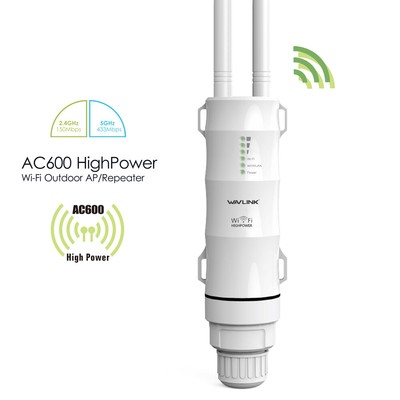
Few weeks to new season. Mower is charged and ready for updating/upgrading. I have new wifi-dongle with external antennas, maybe some gain on range..
Looked to bernards github and threre's some mqtt commits. Is it, mqtt, allready finished and working order?
 
Hi Jussip.
I have also trouble to have WIFI everywhere.
I order this :
and USB receiver with antenna for the Pi
I give you a feedback when receive.

For Mqtt, I work it with Home Assistant.
i think Stockfish use iobroker but i fail to use it (All the tuto are german and i can't understand).
But Normally mqtt broker are standard and can work on all IO platform.


The Pyardu302 can help to be sure that you have correctly setup your broker but can freeze the Pi if not OK (more debug message).
Actually i use Pyardu303.py,the diff is that the payload are send without waiting aknowlage to avoid watchod trig.
If the mower have the wifi ,normaly it's OK
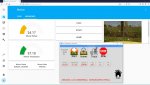
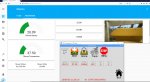
Here the screen copy of the HASSIO first result:
Capture.JPGCapture2.JPG
Do not hesitate if you want more info on yaml file
 
Looks good (y) All mqtt is in piardu.py? I'm using home assistant in hassbian. Broker is mosquitto and I need credentials to log in
 
Not in Pyardu, it's into RFID branch / TEST FILE /MQTT
You need to use Pyardu302 or 303.
For example in Pyardu 303
The change are from line 37 to 90 and 550 to 562 if you want to use MQTT into your own code
In config.py you need to set the IP of your broker and activate the mqtt.

lovelace part:
Code:
title: Maison
views:
  - badges:
      - entity: binary_sensor.updater
      - entity: person.admin
      - entity: sun.sun
    cards:
      - entities:
          - entity: sensor.mower_status
          - entity: sensor.mower_state
          - entity: sensor.mower_battery
          - entity: sensor.mower_temperature
        show_header_toggle: false
        type: entities
      - entity: switch.mowerstart
        hold_action:
          action: none
        icon_height: 40px
        show_icon: true
        show_name: true
        tap_action:
          action: toggle
        type: button
      - entity: switch.mowerstop
        hold_action:
          action: more-info
        show_icon: false
        show_name: true
        tap_action:
          action: toggle
        type: button
      - entity: media_player.salon
        type: media-control
      - entity: switch.esp8266_led
        hold_action:
          action: more-info
        show_icon: true
        show_name: true
        tap_action:
          action: toggle
        type: button
      - entity: switch.sonoff_1rt
        hold_action:
          action: more-info
        show_icon: true
        show_name: true
        tap_action:
          action: toggle
        type: button
      - entities:
          - entity: switch.sonoff_4rt_ch1
          - entity: switch.sonoff_4rt_ch2
          - entity: switch.sonoff_4rt_ch3
          - entity: switch.sonoff_4rt_ch4
        title: Sonoff 4CH
        type: entities
    path: default_view
    title: Home
  - badges: []
    cards:
      - entity: sensor.mower_battery
        max: 35
        min: 20
        severity:
          green: 25
          red: 23
          yellow: 24
        type: gauge
      - entity: sensor.mower_temperature
        max: 99
        min: 15
        severity:
          green: 20
          red: 60
          yellow: 50
        type: gauge
      - entities:
          - entity: sensor.mower_status
          - entity: sensor.mower_state
        type: glance
        show_name: true
        show_icon: false
        show_state: true
      - entity: switch.mowerstop
        hold_action:
          action: more-info
        show_icon: false
        show_name: true
        tap_action:
          action: toggle
        type: button
        name: STOP
        icon_height: '-1px'
      - entity: switch.mowerstart
        hold_action:
          action: more-info
        show_icon: false
        show_name: true
        tap_action:
          action: toggle
        type: button
        name: START
      - type: button
        tap_action:
          action: toggle
        hold_action:
          action: more-info
        show_icon: false
        show_name: true
        entity: switch.mowerhome
        name: HOME
      - type: iframe
        url: 'http://10.0.0.14:8000'
        aspect_ratio: 50%
    path: ardumower
    title: Ardumower


yaml file:

Code:
# Configure a default setup of Home Assistant (frontend, api, etc)
default_config:

# Uncomment this if you are using SSL/TLS, running in Docker container, etc.
# http:
#   base_url: example.duckdns.org:8123

# Text to speech
tts:
  - platform: google_translate

group: !include groups.yaml
automation: !include automations.yaml
script: !include scripts.yaml
scene: !include scenes.yaml


mqtt:
  broker: 10.0.0.8
  discovery: true
  discovery_prefix: "homeassistant"
  username: "admin"
  password: "admin"
 

switch:
  - platform: mqtt
    name: "MOWERSTART"
    command_topic: "Mower/COMMAND/"
    payload_on: "START"
    payload_off: "START"
    qos: 0
    retain: false
  - platform: mqtt
    name: "MOWERSTOP"
    command_topic: "Mower/COMMAND/"
    payload_on: "STOP"
    payload_off: "STOP"
    qos: 0
    retain: false
  - platform: mqtt
    name: "MOWERHOME"
    command_topic: "Mower/COMMAND/"
    payload_on: "HOME"
    payload_off: "HOME"
    qos: 0
    retain: false
    
sensor:
 - platform: mqtt
   name: "Mower State"
   state_topic: "Mower/State"
 - platform: mqtt
   name: "Mower Status"
   state_topic: "Mower/Status"
 - platform: mqtt
   name: "Mower Battery"
   state_topic: "Mower/Battery"
 - platform: mqtt
   name: "Mower Temperature"
   state_topic: "Mower/Temp"
 
Thanks. I'll test that
Maybe network check also before do anything with mqtt?
Code:
import urllib.request
import urllib.error

def checkNetwork(url_to_check):
    try:
        urllib.request.urlopen(url_to_check, timeout=2)
        return True
    except urllib.error.URLError as err:
        return False

testNet = checkNetwork("https://google.fi")
 
Yes thanks.(y)
Until now my 2 mowers are used as Acces Point, so all is working like a charm with area2 sender Pc,Phone etc..
But it's more complex for HASSIO i need permanent WIFI and it's why i order an outdoor WIFI router and hope it can send at 100 meters on free land:oops:.
To test Dont'forget to install paho
Code:
sudo apt-get update
sudo pip3 install paho-mqtt

For the actual WIFI normaly on startup the paho mqtt try except connection do the job.
It's line 78
You have a Mqqt_client.connected_flag to stop the mqtt if no wifi on startup.
The main issue is if the mower run very far from router and lost wifi .The state and command for HASSIO stop to work but (Only tested 2 hours) normaly the mower Don't stop to work.
The Qos on Mqtt help also and i use the Qos 0 for state to avoid waiting for acknoledge message.

In all case the correct WIFI in garden is the solution for HASSIO.

If it can work perfectly (i mean 1 Week in auto with no stop) certainly it's possible to use HASSIO to start mowing according to local weather ,avoid sprinkler etc..)
Also Mower Timer can be manage by Home automation ;)
Google Home, Alexa can certainly also be connected (but on tuto i see that i need to open some port on my box and for safety raison i haven't tested:rolleyes:)

Good test and Don't hesitate to add change in the code for manual drive or other ?
 
Almost there, one little problem.. At boot piardu starts before network is up and mqtt won't work until I restart piardu. Mqtt_client_connected_flag stays false? I think..
 
You 're all right .Same for me.
Suplly add
time.sleep(60)
Just before the connection
Code:
time.sleep(60)
try:
        Mqqt_client.username_pw_set( username="admin", password="admin" )
        Mqqt_client.connect( host=Mqtt_Broker_IP, port=Mqtt_Port, keepaliv
It's rain and can't test actualy but normaly it can help on initial Power ON.

I need to change the parts code for the 10 secondes actual send state, Maybe better to send only when change and temp or bat each 30s or more.
 
Oben