Hi.
First the Gps is not accurate at all and not really use in the soft but you can check this by your own using Gpsprune .
What GPS did you use M6 or M8. the actual code is for M8 but: it's easy to change if i can remember (GNRMC is same as GPRMC)
Here a GPS connected on PCB1.3, But Roland and other have trouble with it (Work Ok for me on 2 boards ???)
[attachment=6038]20180725_171519.jpg[/attachment]
If GPS is connected on PI Better for you if you Don't use the screen
Into config.py you need to set GpsConnectedOnPi=True in the Linux platform part.
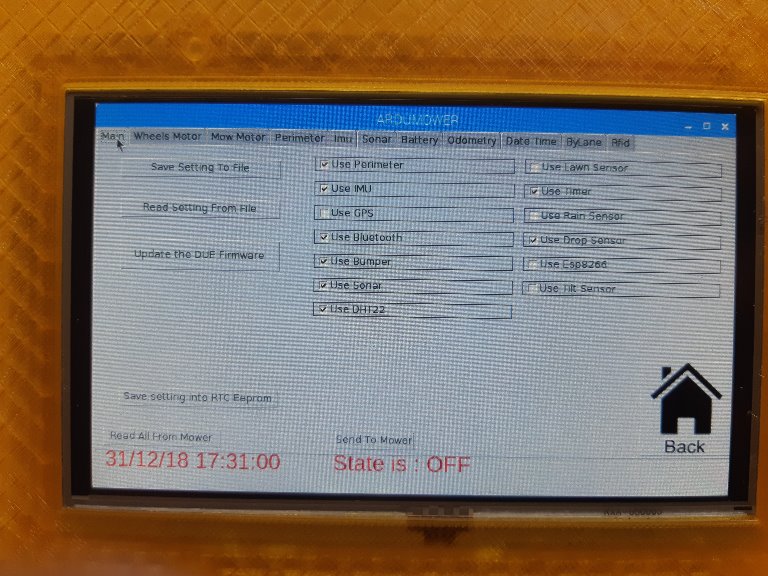
And deactivate it on the PCB1.3 with Arduremote on the setting Gps
On startup the PyArdu start Gpsrecord.py in background to create a file that you can read later
You can test only this prog with idle3 (Python3 idle) into SSH session
If you use M6 from shop :
Check the serial port at the beginning of Gpsrecord.py
and change:
if "$GNRMC" in line: # This will exclude other NMEA sentences t
by
if "$GPRMC" in line: # This will exclude other NMEA sentences t
If it's OK the file is write on /gpsdata/ folder.
Wait at least 5 minute until a fix.
If GPS connected on PCB.
Into config.py you need to set GpsConnectedOnPi=False in the Linux platform part.
And activate it on the PCB1.3 with Arduremote on the setting Gps
REBOOT PCB1.3
On PyArdu startup, Go in the GPS screen and set it to start
If it's OK On the Console you need to see the GPRMC sentence comming .
Again wait 5 min until a Fix.
The same file is generate.
The light soft GPSPRUNE can read the file and show you the BAD data.
First the Gps is not accurate at all and not really use in the soft but you can check this by your own using Gpsprune .
What GPS did you use M6 or M8. the actual code is for M8 but: it's easy to change if i can remember (GNRMC is same as GPRMC)
Here a GPS connected on PCB1.3, But Roland and other have trouble with it (Work Ok for me on 2 boards ???)
[attachment=6038]20180725_171519.jpg[/attachment]
If GPS is connected on PI Better for you if you Don't use the screen
Into config.py you need to set GpsConnectedOnPi=True in the Linux platform part.
And deactivate it on the PCB1.3 with Arduremote on the setting Gps
On startup the PyArdu start Gpsrecord.py in background to create a file that you can read later
You can test only this prog with idle3 (Python3 idle) into SSH session
If you use M6 from shop :
Check the serial port at the beginning of Gpsrecord.py
and change:
if "$GNRMC" in line: # This will exclude other NMEA sentences t
by
if "$GPRMC" in line: # This will exclude other NMEA sentences t
If it's OK the file is write on /gpsdata/ folder.
Wait at least 5 minute until a fix.
If GPS connected on PCB.
Into config.py you need to set GpsConnectedOnPi=False in the Linux platform part.
And activate it on the PCB1.3 with Arduremote on the setting Gps
REBOOT PCB1.3
On PyArdu startup, Go in the GPS screen and set it to start
If it's OK On the Console you need to see the GPRMC sentence comming .
Again wait 5 min until a Fix.
The same file is generate.
The light soft GPSPRUNE can read the file and show you the BAD data.
 This gps don't want to cooperate with me