Problems with Sunray and FIX (Solved)

senil

Active member
Hello,
After several months of stopping, I return to resume the construction of the Ardumower.
I'm stuck in communicating with the satellites and creating my first map.
I tell you the situation I'm in.
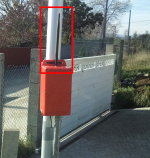
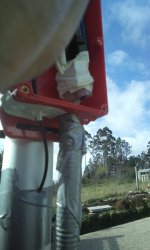
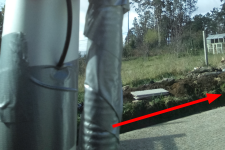
I have already installed a charging base and a mast about 5 meters high to place the GPS antenna as high as possible.
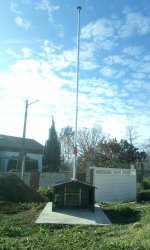
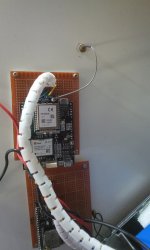
IMG_20230303_102621.jpg


The mower is located in Spain, I don't know if it is necessary to configure something else in the system because it is in this area.
I have used "Method 1: Your own RTK base"
I have set up all the steps as shown in the instructions on the web Wiki.
I have used "Mode '1 - Survey-In' (90s/5m precision)"
I have a question about this comment:
"Your base should get a '3D' position solution (verify this!)."
Where should this be displayed? I show you my output on the computer:
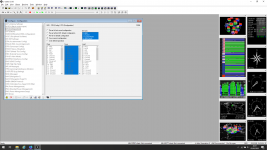
Sin título.png

After performing these steps I have connected my Ardumower with the tablet and this data appears:
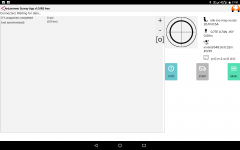
Screenshot_20230302-175116.png

It tells me that there is no "FIX" and instead "INVALID" appears.
Where can the problem be? Should I look for the fault in the BASE or in the ROVER?
If I try to create the first map I get a warning that there is no "FIX" and it doesn't add points to the map, it doesn't even show me points or coordinates.

I appreciate any suggestion in advance.
Many thanks for everything!
Greetings.
 
Your Rover doesn‘t connect to the base station. The time value right behind invalid string in the App is running high. Normally is there a value round about 0.5s. I can‘t see the 868MHz antenna on your basestation. Is it inside the mast?
 
Your Rover doesn‘t connect to the base station. The time value right behind invalid string in the App is running high. Normally is there a value round about 0.5s. I can‘t see the 868MHz antenna on your basestation. Is it inside the mast?
Hello EinEinach,
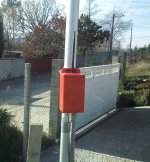
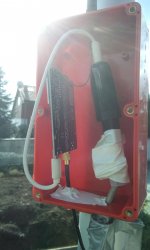
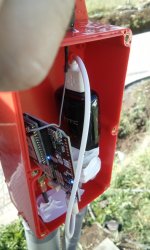
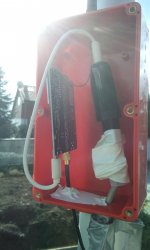
The antenna is located in the red box right next to the mast:
IMG_20230303_102632.jpg

The question I also have is if it is the correct antenna, since I am not able to distinguish if it is different from the one provided by Marotroniks. It's not the right one, I think...
The same thing happens to me in the ROVER, I don't know if the GPS antenna is correct or if I'm mixing it with WIFI.
Is there any way to know how they can be differentiated?

Thank you for your answer.
 
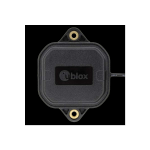
The GPS antenna is the flat thing with ublox mark on top. Actually you‘ve got two gps antennas and two 868MHz antennas, if you‘re ordered the long range package from marotronics. There is no WiFi antenna in the package.
 
Hello,
Well, I'm afraid that what they have sent me does not agree with what you tell me. They must all be in WIFI format because none of them have anything you tell me.
I'm going to order new ones and see if this way we can avoid this problem.
Thank you for your quick and concise response. (y)(y)
Have a good weekend!
 
One moment...
If you mean this antenna:
1677853518990.png

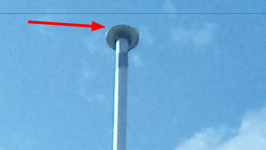
It is located at the top of the mast.

1677853563829.png

And the cable goes inside the mast to the top.

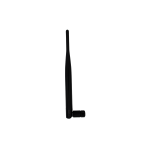
I was referring to the typical WIFI antenna, if it has to be different from the one connected here:

1677853638709.png

1677853680185.png

I suppose that it is the one that should make the connection with the ROVER, right?

Thanks.
 
Yeah right,
Anyway check all settings what to be affected to the 868MHz connection. There is something wrong.
 
Hi senil,

you get also on W-LAN/Bluetooth antenna. Is your coaxialcable SMA female or male? And the RTK antenna conncetor SMA female or male? And on your mower ?

Ciao
W1976
 
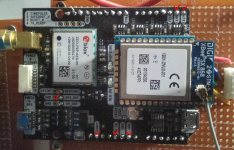
Just check that you have connected the UBLOX square antenna to ardusimple PCB and the long one to XBEE module and not the opposite ??

Are you sure you need a so long mast (it work well for me at the roof of a small garden garage.)
 
Are you sure you need a so long mast
Looks like a free sky view. I think a short mast will work as well (maybe better, because of less movement by wind).


Is your coaxialcable SMA female or male? And the RTK antenna conncetor SMA female or male? And on your mower ?
Thats an important question to see you used the right antennas and not mixed up Wifi/BLE and 868 MHz antennas.
 
Hi senil,

you get also on W-LAN/Bluetooth antenna. Is your coaxialcable SMA female or male? And the RTK antenna conncetor SMA female or male? And on your mower ?

Ciao
W1976
I'm sorry for the delay in answering.
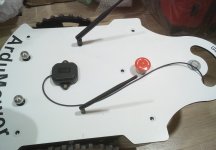
The W-LAN/Bluetooth Connectors that I have are these:

IMG_20230306_105218.jpg

IMG_20230306_105310.jpg

The antennas are female and connect to the male SMA.
They are the originals that Marotronics provided me at the time.
IMG_20230306_105322.jpg
IMG_20230306_105332.jpg


IMG_20230306_110329.jpg


IMG_20230306_110350.jpg

IMG_20230306_110359.jpg

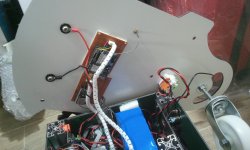
I have put the cable that goes inside trying not to make a very pronounced turn as mentioned in the manuals.

I think the connections are correct, except for the doubt that the antennas do not correspond to what is specified as XBEE,
I cannot distinguish between W_LAN and XBEE.
Thank you very much for your questions.
 
Just check that you have connected the UBLOX square antenna to ardusimple PCB and the long one to XBEE module and not the opposite ??

Are you sure you need a so long mast (it work well for me at the roof of a small garden garage.)
Hello Bernard,
Yes, I have verified that the labels put by Marotronics correspond to "BASE" and "ROVER".
I have published in a previous post the connections, which to my knowledge, seem the correct ones.
If you notice something different I welcome comments.

Thanks a lot.
 
Looks like a free sky view. I think a short mast will work as well (maybe better, because of less movement by wind).
Well, yes, although keep in mind that I have a fairly steep slope and in the future I would like to be able to mow the grass at the top.

1678100332737.png

I wouldn't know how to calculate the difference in height between the entrance portal and the portal above, but I calculate that it is at least 4 meters.


Thats an important question to see you used the right antennas and not mixed up Wifi/BLE and 868 MHz antennas.

I think it may be the most likely cause.
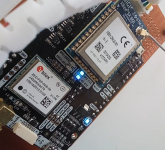
What I have been able to see in the two devices, in case this problem clarifies something else:


(I am attaching the videos compressed. The video format I have is not supported.)

In the base it seems that the combination of lights is correct.
But on the ROVER I'm not sure.

Thanks a lot!
 

Anhänge

  • IMG_20230306_110329.jpg
    IMG_20230306_110329.jpg
    1,6 MB · Aufrufe: 7
  • VID_20230306_111704.mp4
    11,3 MB
  • VID_20230306_110435.3.mp4
    1,9 MB
  • VID_20230306_111853.mp4
    5,4 MB
Zuletzt bearbeitet:
I also add the last LOG I have in case it helps.
Greetings.
 

Anhänge

  • LOG1024.TXT
    14,6 KB · Aufrufe: 13
In the base it seems that the combination of lights is correct.
But on the ROVER I'm not sure.

Thanks a lot!
It's not OK on the rover : Xbee>GPS need to flash each time correction data is received from the base station
Base led flashing are OK

You need to check on the XBEE module parts or XBEE antenna
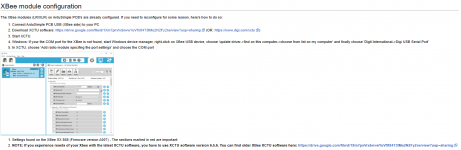
Ardumower Sunray — www.wiki.ardumower.de
check

XBee module configuration​

 
Zuletzt bearbeitet:
Okay ,
I am going to order two 868MHz SMA antennas and see if that is the reason for the failure.
Thank you very much everyone for the help provided.
Greetings.
Senén.
 
If you use the two 868Mhz SMA antennas and coaxial cables of the building set, then I think there is a problem on the configuration.

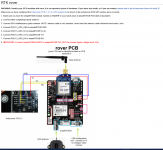
Did you have made the connection between the IOREF tp 3.3V, like on the picture only on the rover Ubloxx modul? I did not see it on your videos, but I cannot see behind the bottom side. And check again the conncetion between the Ubloxx modul and the PCB1.4.
1678223283746.png


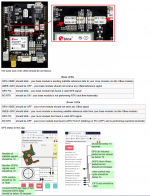
The LED´s on both cards are described in the Ardumower Wiki under Sunray.
1678222803209.png

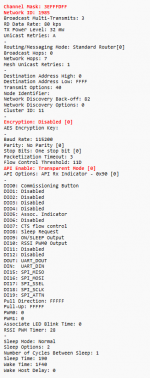
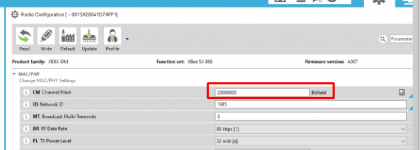
Check also the XBee configuration, in some moduls was the configuration not correct:
1678222919885.png

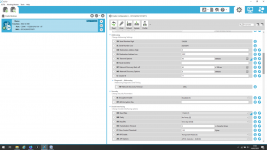
Here the XBee settings. The settings are on both XBees the same.
1678222964029.png

Check also the Ublox card settings, on some cards was not installed the right configurations.
1678223077525.png
 
Zuletzt bearbeitet:
If you use the two 868Mhz SMA antennas and coaxial cables of the building set, then I think there is a problem on the configuration.

Did you have made the connection between the IOREF tp 3.3V, like on the picture only on the rover Ubloxx modul? I did not see it on your videos, but I cannot see behind the bottom side. And check again the conncetion between the Ubloxx modul and the PCB1.4.
Anhang anzeigen 5942


The LED´s on both cards are described in the Ardumower Wiki under Sunray.
Anhang anzeigen 5938

Check also the XBee configuration, in some moduls was the configuration not correct:
Anhang anzeigen 5939

Here the XBee settings. The settings are on both XBees the same.
Anhang anzeigen 5940

Check also the Ublox card settings, on some cards was not installed the right configurations.
Anhang anzeigen 5941
Thanks W1976!
As soon as I have the antennas I will verify all the steps in case I forgot something.
Again, thank you very much!
All the best.
 
Hello,
I have bought the antennas but I can't get it to work.
I am answering your suggestions in each of the phases because I think the problem is in the ROVER.

If you use the two 868Mhz SMA antennas and coaxial cables of the building set, then I think there is a problem on the configuration.

Purchased but unsuccessful.

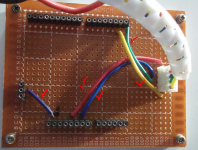
Did you have made the connection between the IOREF tp 3.3V, like on the picture only on the rover Ubloxx modul? I did not see it on your videos, but I cannot see behind the bottom side. And check again the conncetion between the Ubloxx modul and the PCB1.4.
Anhang anzeigen 5942
I have checked all the connections with a current test.
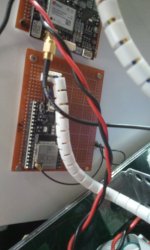
The jumpers or connections are not visible because I have used a connection plate and everything goes below.


1678808990768.png

To verify the connections I have used a polarity tester.

1678809015343.png

1678809028863.png


1678809034712.png

I have used a circuit board because it is easier to manipulate or replace it with another GPS if necessary.


The LED´s on both cards are described in the Ardumower Wiki under Sunray.
Anhang anzeigen 5938

I think the ROVER does not have the correct LEDs.

NO RTK is on and fixed.
GPS FIX is on and flashing
GPS>XBEE blinks weakly
XBEE>GPS is OFF

1678809178200.png


Check also the XBee configuration, in some moduls was the configuration not correct:
Anhang anzeigen 5939

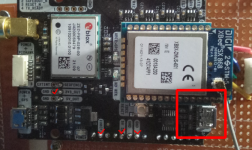
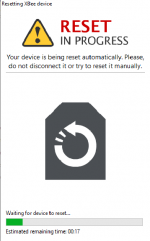
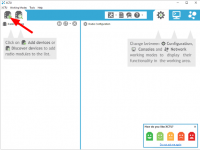
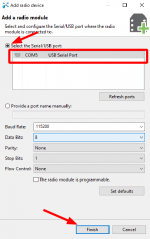
This is where I have stayed. I can't access the XBEE module correctly:

I have plugged in the USB cable at this site:

1678809876690.png

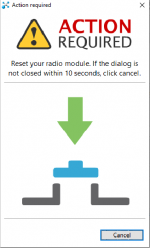
And I follow these steps that I indicate

1678809796247.png

1678809936208.png

(I have tried with 115200 and 9600 Bauds)

1678810039979.png

I don't know what it is doing now.

1678810088121.png

And here I don't know what it tells me. I have to do something?
At this point I get an error and can't find the correct device.
I can no longer continue checking your suggestions.


Here the XBee settings. The settings are on both XBees the same.
Anhang anzeigen 5940

Where can I check this?

If it's in the app mentioned above, I'll have to fix the communication. I can not know it.

Check also the Ublox card settings, on some cards was not installed the right configurations.
Anhang anzeigen 5941

Thank you so much!
 
Hello,
I have news!!

I didn't comment before, but I have two pairs of ROVER and BASE.
With the other ROVER (The one in the photo) I have managed to connect.
I don't know the reason, one of the ROVER may be defective.
Even so, the lights that it indicates are the same as the previous ROVER.
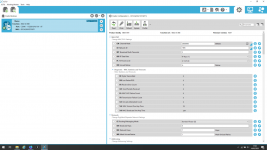
I put what I get in the list of configurations:

1678811567541.png

1678811660264.png

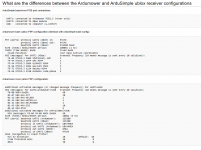
As I see it as different from what is published on the WIKI:

1678811774125.png

My device has:

1678811844928.png

Could it be the problem?

Thank you.
A greeting.

P.S:
If I get this ROVER to work, I would focus on seeing the problem that the ROVER2 has because it does not connect.
 
Oben